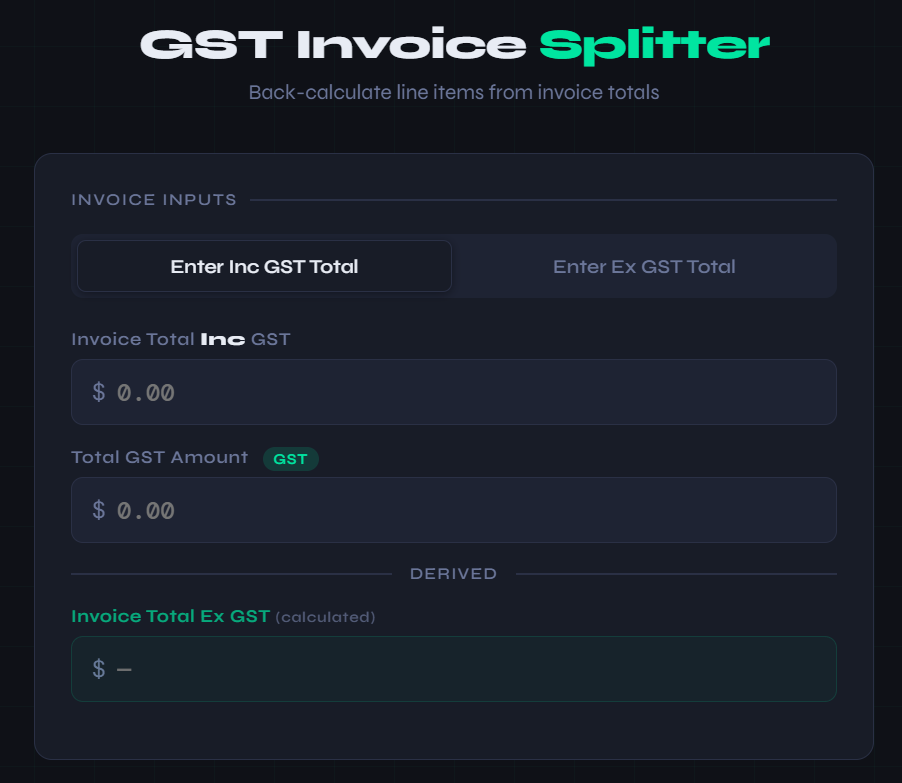
If you process invoices for a not-for-profit, community group, or small organisation, you’ve probably run into this: an invoice arrives with a mix of taxable and GST-free items. The supplier has helpfully totalled it all up — one grand total, one GST figure — and left you to work out the individual line amounts yourself.
Most accounting software, including the popular cloud platforms, wants you to enter bills line by line with each item’s ex-GST amount. That means you need to back-calculate from the totals before you can even start entering the bill. For a single invoice it’s maybe a few minutes of work. When you’re processing a stack of them, it gets old fast.
The maths isn’t hard — it’s just tedious
The logic is straightforward enough. The GST amount tells you exactly what was charged on the taxable portion — divide it by 10% and you have the ex-GST value of those items. Subtract that from the invoice’s ex-GST total and you’re left with the GST-free portion. Write it all out once and it’s obvious. Do it for the fifteenth invoice this month and it’s just noise.
A quick solution
I put together a simple tool that does this calculation in seconds. Enter the invoice total and the GST amount — either inc or ex GST depending on what your invoice shows — and it spits out the two line items ready to enter. It runs in the browser with no login, no account, nothing to install.